How to Use Black PSD 3D Editable Text Effect for Creative Projects
For designers, marketers, and content creators who are always on the lookout for innovative ways to elevate their visual projects, the Black PSD 3D Editable Text Effect is a powerful tool. This type of Photoshop text effect allows users to create stunning three-dimensional typography with ease, offering both flexibility and professional-grade results without requiring advanced design skills.
What Is a Black PSD 3D Editable Text Effect?
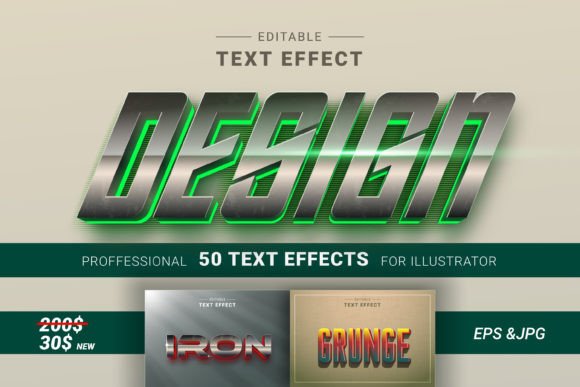
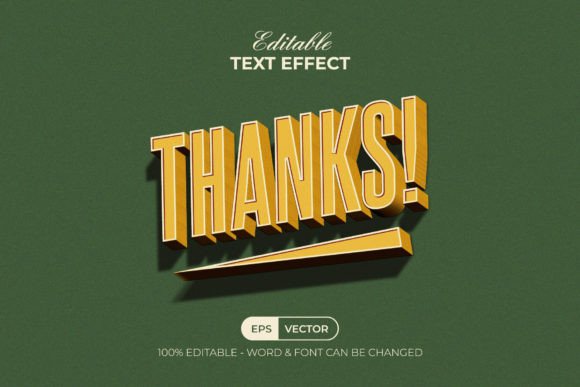
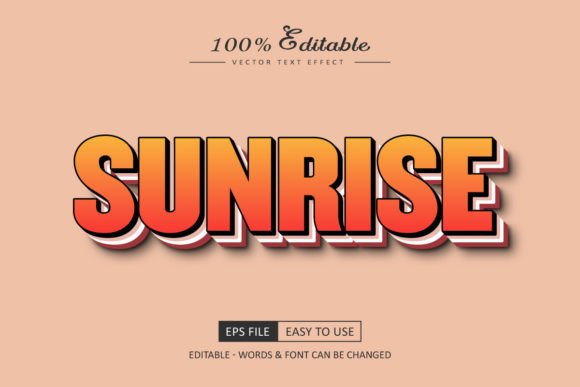
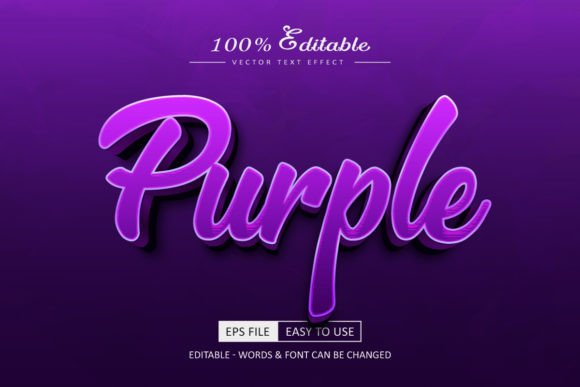
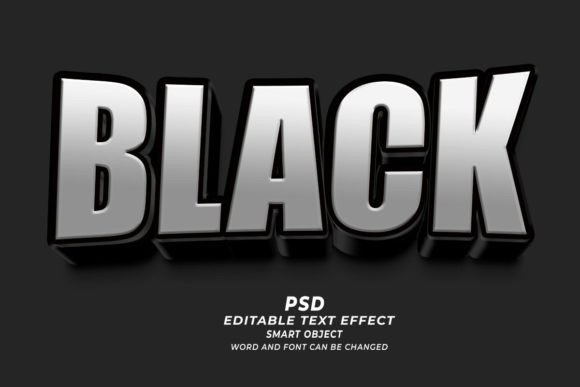
A Black PSD 3D Editable Text Effect refers to a layered Photoshop file (PSD) that features text rendered in a dark, bold 3D style. These files are designed as smart objects, meaning they preserve editability so users can modify the text, font, size, or color directly within Photoshop. The result is a high-quality, visually striking text effect that maintains its integrity even after changes are made.
This kind of text effect is especially popular because it combines depth and dimensionality with the simplicity of customization. Unlike static images, these PSDs allow you to adapt the text to your brand, message, or project needs without losing resolution or quality. Each element—lighting, shadows, textures—is often carefully crafted and layered for a realistic look.
Key Features of Black PSD 3D Editable Text Effects
- Smart Object Layers: Easily editable without affecting the original design structure.
- High Resolution (300dpi): Ideal for both digital and print use.
- Compatibility: Works seamlessly with Adobe Photoshop versions that support smart objects.
- Customizable Fonts and Sizes: You can replace the default text with any font you choose and adjust the size as needed.
- Layered Elements: Includes separate layers for lighting, background, and text components, giving you full control over each aspect of the design.
Where Can You Use This Text Effect?
The versatility of the Black PSD 3D Editable Text Effect makes it suitable for a wide range of applications. Here are some common use cases where this effect shines:
- Website Design: Use it to highlight key phrases, headlines, or calls to action on landing pages or promotional sites.
- Web Banners: Create eye-catching banners for online ads or social media campaigns with minimal effort.
- Print Templates: Apply the effect to posters, flyers, or brochures to add a modern and edgy aesthetic.
- T-Shirt Designs: Stand out with bold, dark 3D typography that looks great on apparel.
- Pod/Print-on-Demand Projects: Perfect for creating unique designs that can be printed on various products like mugs, phone cases, and more.
- KDP Book Covers: Add dramatic flair to book titles or author names with an elegant black 3D text effect.
- Marketing Materials: From business cards to product packaging, the effect helps reinforce brand identity through strong visual impact.
Real-World Applications
Imagine you're launching a new fashion line and need a compelling T-shirt design. Instead of spending hours trying to achieve the right 3D look manually, you can download a Black PSD 3D Editable Text Effect, open it in Photoshop, and simply replace the placeholder text with your brand name or slogan. Adjust the font, size, and color, and you have a ready-to-print design in minutes.
Or consider a small business owner looking to redesign their website. By using a Black PSD 3D Editable Text Effect, they can instantly update headlines and section titles with a sleek, modern appearance that aligns with their branding strategy. No need for hiring a designer—just a few clicks and edits will do the trick.
Who Benefits from Using This Tool?
Anyone involved in graphic design, marketing, or content creation can benefit from using the Black PSD 3D Editable Text Effect. It’s particularly useful for:
- Graphic Designers: Those who want to streamline their workflow and focus on creativity rather than technical execution.
- Business Owners: People seeking affordable and effective design solutions for branding and promotions.
- Freelancers: Creatives working on multiple client projects who need quick turnaround times.
- Beginners: Individuals new to Photoshop who wish to produce high-quality visuals without prior experience in 3D text modeling.
- Online Sellers: Entrepreneurs on platforms like Etsy, Amazon, or Shopify who rely on attractive product listings and packaging.
Strengths and Limitations
One of the main strengths of the Black PSD 3D Editable Text Effect is its ease of use. Because it's built using smart objects, there's no need for complex layer manipulation or 3D rendering tools. Simply double-click the smart object, make your edits, and save the file. This saves time and reduces the learning curve associated with advanced text effects.
Additionally, the high-resolution output ensures that your final designs remain crisp and clear, whether viewed on screen or in print. This is essential when creating materials that must maintain a professional look across different mediums.
However, it’s important to note that while these effects are highly customizable, they may not offer the same level of detail as fully custom 3D models. For instance, if you require intricate animations or specific material textures, you might need additional tools beyond basic smart object editing.
Getting Started: A Step-by-Step Guide
If you’re interested in trying the Black PSD 3D Editable Text Effect, here's a simple process to follow:
- Download the PSD file from a trusted marketplace or resource site.
- Open the file in Adobe Photoshop.
- Locate the smart object layer containing the text. Double-click it to open the editing window.
- Replace the existing text with your desired message. Choose a font, size, and color that fits your project.
- Save the smart object and return to the main document to preview your changes.
- Adjust other elements such as background colors, lighting effects, or shadow intensity if needed.
- Export the final design in your preferred format—PNG, JPEG, PDF, etc.—for use in your project.
This straightforward approach makes it easy to integrate the effect into almost any design project, regardless of your skill level.
Practical Considerations
Before using a Black PSD 3D Editable Text Effect, it's important to evaluate how well it suits your specific needs. Ask yourself:
- Will the black theme complement my brand or project aesthetics?
- Do I need to customize more than just the text? (e.g., fonts, sizes, colors)
- Is the resolution sufficient for my intended use?
- Are there enough variations or options included in the package?
Some packages include multiple styles or variations of the text effect, which can be helpful if you're designing for different purposes or audiences. Others may be more limited but still highly effective for specific tasks like logo creation or banner design.
Why Choose Black Over Other Colors?
While text effects come in many colors, the black variant has several advantages:
- Contrast: Black text stands out against most backgrounds, making it ideal for minimalist or high-impact designs.
- Professional Look: Dark tones often convey sophistication and strength, which is beneficial for corporate branding or luxury products.
- Versatility: It works well in both light and dark themes, allowing for greater flexibility in design composition.
Whether you're aiming for a dramatic look or something subtle, the Black PSD 3D Editable Text Effect offers a solid foundation for achieving your vision.
Maximizing Your Use of the Text Effect
To get the most out of this resource, consider experimenting with different fonts and layouts. Some fonts work better in 3D formats than others—serif fonts may add elegance, while sans-serif fonts provide a clean and modern feel. You can also try combining the text effect with other Photoshop elements like textures, gradients, or lighting effects to enhance the overall design.
Another tip is to test the effect at various sizes before finalizing your project. While the text looks great at standard sizes, scaling it up for large prints or down for mobile displays could reveal potential issues with clarity or alignment.
Evaluating Suitability for Your Project
Not every project will benefit equally from a Black PSD 3D Editable Text Effect. To determine if it's the right choice, think about the following factors:
- Project Type: Is it a digital ad, print material, or something else? High contrast and 3D depth suit digital screens especially well.
- Target Audience: Does the design need to appeal to younger demographics, professionals, or a niche market?
- Budget and Time Constraints: If you're short on time or resources, pre-built text effects can significantly reduce production costs.
- Brand Identity: Does the black 3D style align with your brand’s tone and image?
By answering these questions, you can decide whether the Black PSD 3D Editable Text Effect is the best option for your current needs. In many cases, it serves as a reliable shortcut to achieving a polished and professional look quickly and efficiently.
Conclusion
The Black PSD 3D Editable Text Effect is more than just a design asset—it's a creative solution that empowers users to transform ordinary text into visually compelling content. Whether you're a seasoned designer or someone just starting out, this tool offers a balance between quality and convenience that’s hard to ignore.
Its compatibility with a variety of platforms and uses makes it a valuable addition to your design toolkit. With proper evaluation and thoughtful application, you can leverage this effect to create memorable visuals for websites, products, and marketing campaigns.